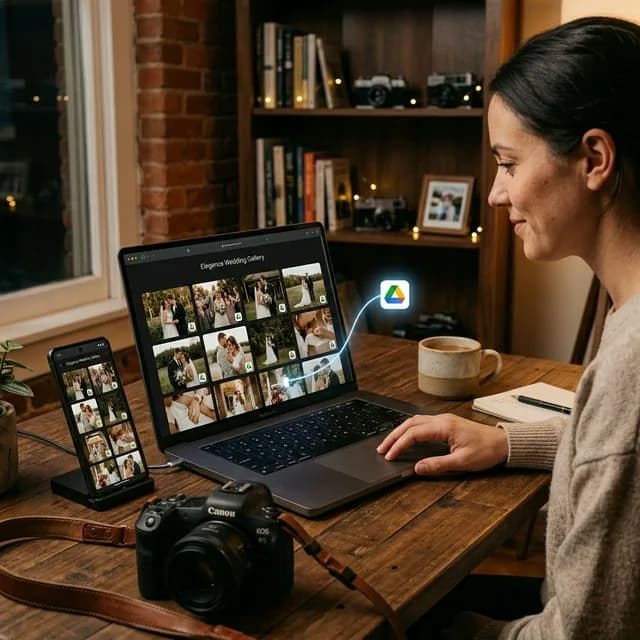
How clients choose wedding photos often becomes the biggest bottleneck after the wedding day is over. The problem is usually not the quality of the images. The problem is the volume of files and the fact that the selection process is still manual. Once clients must scroll through hundreds of photos and type file numbers one by one into chat, the workflow almost always slows down.
For wedding photographers, this is not a small issue. The longer the client takes to finish the selection, the longer it takes for you to begin final retouching, album preparation, and the delivery you already promised.
Why Wedding Selection Always Feels Heavy
Wedding sessions are different from most other shoots because the frame count is so high. In a single day, you may produce hundreds or even thousands of images from very different moments:
- preparation,
- ceremony,
- family portraits,
- reception,
- decoration details and candid guest coverage.
Clients also rarely choose alone. There is often a couple, parents, or siblings involved in the decision. If the images are still presented as a raw folder, the process can drag on for far too long.
What Goes Wrong in Manual Wedding Selection
The most common method still looks like this:
- The photographer sends a folder with a large set of photos.
- The client opens that folder on a phone.
- The client writes down favorite filenames manually.
- The list is sent back through chat.
This creates friction everywhere:
- clients get tired switching between viewing and typing,
- filename typos happen easily,
- photographers have to match chat messages to source files manually,
- selection quotas are often exceeded without anyone noticing.
What should feel like an exciting part of the service turns into an admin task that drains energy on both sides.
A Faster Way for Clients to Choose Wedding Photos
The strongest solution is to let clients choose directly inside a wedding gallery built for proofing.
The workflow is simple.
1. Prepare a dedicated wedding gallery
Instead of sending a raw file list, share a gallery that is pleasant to view on mobile.
2. Let clients tap the photos they want
They no longer need to type filenames like DSC_4412 or IMG_8820. Each image simply has a clear selection button.
3. Let the system count the selections automatically
This matters a lot for wedding work because packages usually include a fixed number of edited images. An automatic counter keeps everyone aware of the available quota.
4. Receive the final selection in a clean format
Once clients finish, you receive a structured list that is ready for final editing.
Why Weddings Need Better Proofing
Wedding projects are highly sensitive to both time and emotion. Clients want to see results quickly, but they also do not want the selection process to feel like work. They are dealing with once-in-a-lifetime moments, so the gallery experience should feel thoughtful too.
Wedding jobs also usually include:
- a larger number of files,
- more than one decision maker,
- album and print deadlines,
- higher service expectations.
That is why wedding photo selection should not be handled the same way as a small casual session.
Tips to Help Wedding Clients Finish Their Selection Faster
These practices usually work well:
Set a clear selection limit
Tell clients from the beginning how many images are included in the retouch or album package.
Send short instructions
Explain how to choose the photos, when the deadline is, and what happens after the selection is submitted.
Prioritize mobile usability
Most wedding clients will choose from a smartphone, so the mobile experience has to come first.
Avoid unnecessary re-uploads
The simpler your workflow is, the faster you can open the gallery after culling.
Why Selection Speed Affects Delivery Speed
Many photographers think their editing is slow when the real delay starts much earlier. If a client finishes selection two weeks after the gallery is shared, your full delivery timeline moves back with it.
With a clean proofing workflow, you can:
- begin retouching earlier,
- reduce revisions caused by wrong file choices,
- protect album and print deadlines,
- make the overall service feel more premium.
If you want the technical foundation behind it, read What Is Client Proofing? and How to Set Client Photo Selection Limits.
FAQ About Wedding Photo Selection
Do wedding clients need to choose every photo themselves?
No. You should still do the first culling pass so clients only review images that are actually worth considering.
Is this only useful for large weddings?
No. Even intimate weddings and simpler ceremonies benefit because the selection process becomes lighter and clearer.
What if multiple family members are involved?
That is exactly where a clean gallery with a visible selection limit helps the most. It is much easier than collecting opinions through scattered chat messages.
Conclusion
How clients choose wedding photos directly affects editing speed, client experience, and the smoothness of your final delivery. The easier the selection process is, the faster you can finish the project and maintain a professional impression.
If you want wedding clients to choose photos without sending file numbers through chat one by one, try PilahFoto here.