Turn your Google Drive folder into a
private gallery where clients choose photos themselves.
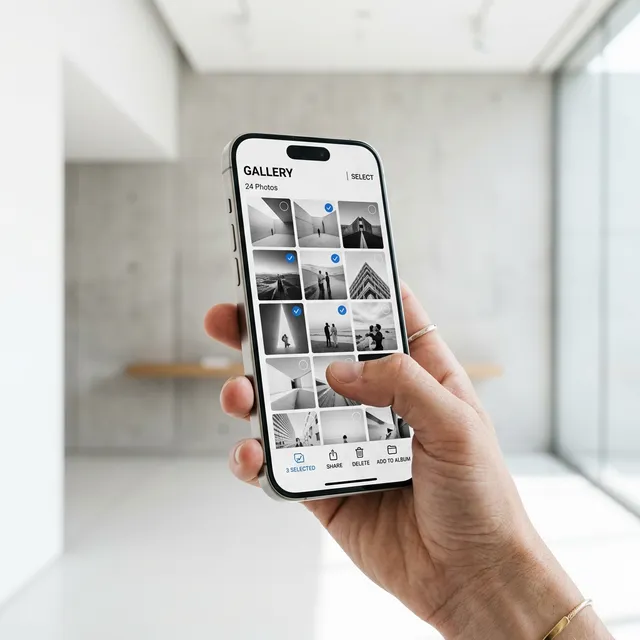
Pick a Drive folder, set the selection limit, and share the link. Clients open the gallery on their phone, choose their favorites, and the result goes straight to your WhatsApp.
Your files stay in your own Google Drive. No re-upload required.
Share a polished gallery link with client login, password protection, and your own branding.
Clients tap the photos they like and the selection is delivered back to your WhatsApp.
Wedding Anniversary
Selection Phase |120 Photos
Supported By

How It Works
Three steps to ship a client gallery

Create a Project
Log in with Google, choose the Drive folder that holds the photos, then set how many photos the client may select.
Core Features
Shorter workflow, cleaner delivery
Google Drive integrated
Your photos stay in Google Drive. PilahFoto handles the gallery layer, client login, and the photo selection flow.
Feels Fast
An optimized grid keeps large galleries feeling fast even when files come from Drive.
Plans
Choose the best fit
Free
- Up to 3 project slots
- Unlimited photos per project
- Private client galleries
- Client login protection
FAQ
Common questions
Need an alternative to Pixieset?
PilahFoto keeps the workflow closer to how Indonesian photographers already work: Google Drive for file storage and WhatsApp for delivery.
Read the comparisonHow do you send hundreds of photos without confusing clients?
Instead of a raw Drive folder, clients get a private gallery that is easier to browse, select, and return.
Read the guideFrom the Blog
Workflow tips, client gallery guides, and practical notes for photographers.